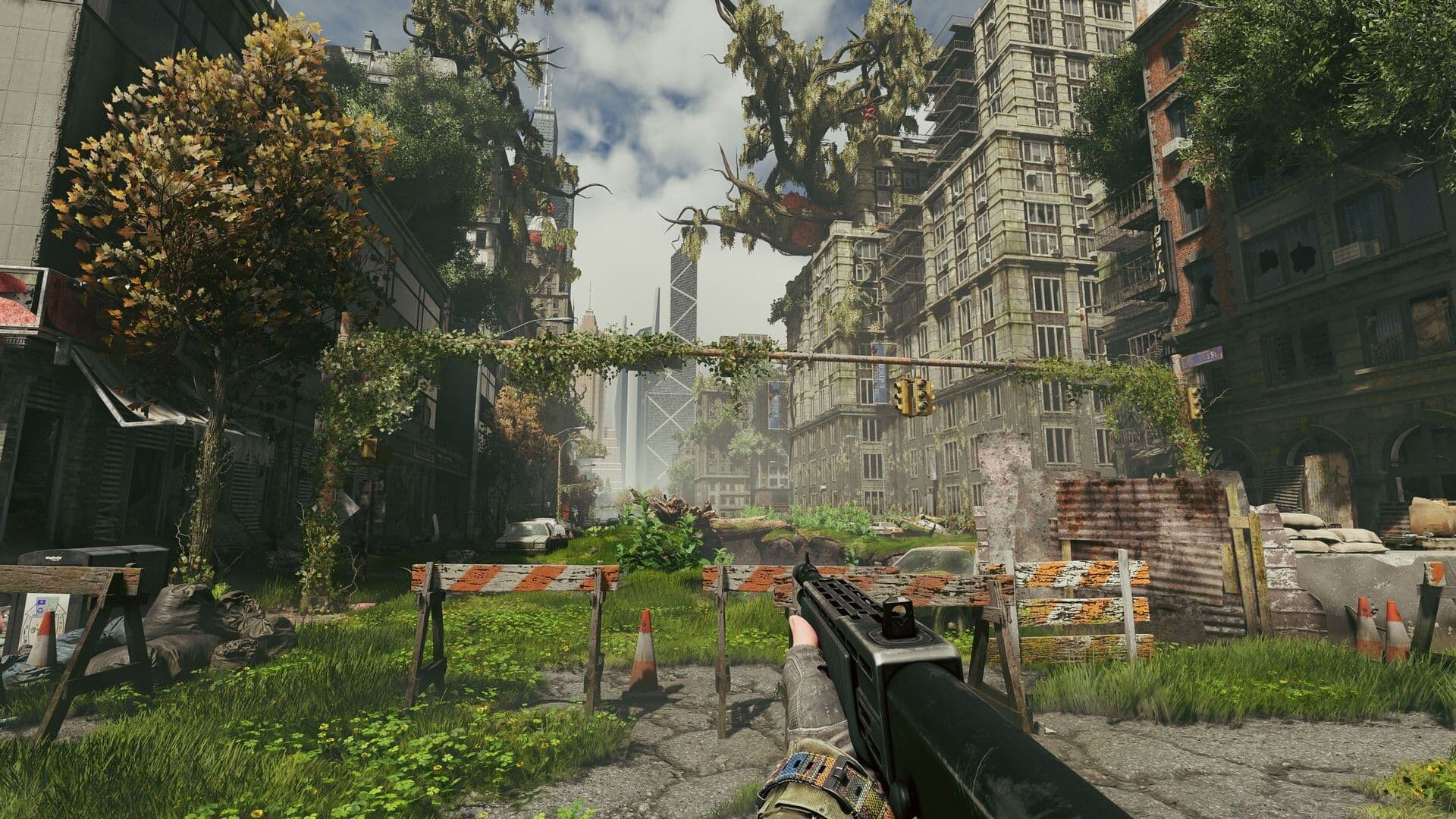
Active Matter runs on Gaijin's own Dagor Engine, the one behind War Thunder, and it is, frankly, one of the better-looking shooters of the year when it's allowed to be. Volumetric light through ruined high-rises, refraction around anomalies, foliage that reacts to the wind and to you. The catch is that it's an extraction shooter: every setting that makes the world prettier is also a setting that can hide the operative lining up on you. This guide is both: how to turn it up, and what to turn back down.
What your PC needs
Gaijin's official requirements are modest at the floor and honest about the ceiling:
- Minimum: Core i5-6600 / Ryzen 3 1300X, 8 GB RAM, GTX 1050 Ti / RX 470 / Arc A580, 45 GB on an SSD (required, not suggested).
- Recommended: Core i5-8700 / Ryzen 5 3600, 16 GB RAM, RTX 2060 / RX 5700 XT / Arc A770.
- Windows 10/11 64-bit, or most modern 64-bit Linux distributions. Gaijin lists Ubuntu 26.04 for the recommended tier, and BattlEye runs on Linux.
"Recommended" here means 1080p at High. The screenshots on this page are what the game looks like above that, and that needs more card than an RTX 2060.
The headline features
NVIDIA's Game Ready driver notes for the launch confirm what the engine offers on GeForce cards: DLSS 4.5 Super Resolution, Ray Reconstruction, Dynamic Multi Frame Generation, and separate ray-traced reflections and ray-traced shadows settings. AMD and Intel cards get FSR upscaling. Install driver 616.92 or newer before launch day; it's the one with the Active Matter profile.
A pass for each tier
RTX 4070 / RX 7800 XT and up, 1440p or 4K: turn it up. Textures and shadows Ultra, global illumination and ambient occlusion High, ray-traced reflections and shadows on, DLSS Quality (or DLAA at 1440p if you're holding 100+ fps without it), Ray Reconstruction on when RT is on. Multi Frame Generation is the difference between 4K/RT being a slideshow and being playable, but see the note on latency below.
RTX 3060 / RX 6700 XT class, 1440p: High, upscaled. High preset, shadows High rather than Ultra, ray tracing off (reflections are the expensive one; the raster fallback is good), DLSS or FSR Quality. This is the sweet spot the game was clearly tuned for.
Recommended-spec cards, 1080p: High with help. High preset, DLSS or FSR Balanced, shadows Medium, GI off. You'll hold 60 in most raids and drop below it in Downtown's Collapse.
Minimum-spec, 1080p: make it run. Low/Medium, FSR Performance, shadows Low, everything post-process off. It still looks like the same game; it just looks like it from further away.
What to turn down even if you can afford it
- Motion blur: off. Always. It hides movement in your peripheral vision, which is exactly where squads flank from.
- Film grain and chromatic aberration: off. Both are noise laid over the frame; anomalies already add real refraction, and you want to be able to tell the two apart.
- Depth of field: off for Open raids. Beautiful in Isolated, but it blurs the operative at 80 m while you check your map.
- Foliage and shadow detail: one notch under max in Open raids. Dense grass and deep shadows are where prone players go. This is the one honest trade-off: the game is at its most beautiful on Ultra, and Ultra is where you get shot from.
- Sharpening: moderate. DLSS and FSR both soften; 30–50% brings edges back without haloing.
Frame generation and latency
Multi Frame Generation makes the frame counter look wonderful and adds a few milliseconds of input latency. In Isolated raids that's free fps. In Open raids, where a fight is decided by who reacts first, run it only if your base frame rate is already above 60; frame generation on top of 40 fps feels worse than 40 fps. Turn NVIDIA Reflex on if it's offered; it claws most of that latency back.
Two things worth knowing
- The SSD requirement is real. Zones stream in as you move; on a hard drive the game hitches at exactly the moments you can't afford it.
- Settings are per-account, not per-mode: there's no separate profile for Isolated and Open. If you want the pretty version for PvE and the tactical one for PvP, you're changing it by hand between raids.
If you'd rather learn the maps on the pretty settings with someone watching the tree line for you, that's what our Squad Carry is for.